Instant payments
What is Venmo and how does it work? 2026 Guide
Venmo is a P2P payment app in the U.S. Learn how it works, its fees, Spanish availability, and how it compares to Común for Latino immigrants.
8 min read

16 Jul 2026
What is Venmo and how does it work? 2026 guide to understanding how Venmo works in the United States
Venmo is a digital payment app in the United States that allows people to send and receive money quickly from their phones. The platform works as a peer-to-peer (P2P) payment service, meaning users can transfer money to friends, family members, or other contacts using a linked bank account, debit card, or available balance within the app.
Over the last several years, Venmo has become one of the most widely recognized payment apps for splitting bills, paying rent, reimbursing friends, and handling everyday payments in the U.S.
What Is Venmo?
Venmo is a digital payment app for quick transfers between people who know each other. It is commonly used to split a restaurant bill, to pay rent between roommates or even for sharing costs for trips or events. Venmo operates within the United States and requires compatible payment methods such as U.S. bank accounts or debit cards.
Verified users can send up to $60,000 per week. Transfer limits vary based on account verification status and may change over time.
How does Venmo work?
To start using Venmo, users first need to download the mobile app on iPhone or Android and create an account using an email address or U.S. phone number. After setting up the account, users can connect a payment method such as: a U.S. bank account, a debit card, a credit card, or an existing Venmo balance.
Once the account is ready, users can search for another person on Venmo using their name, username, phone number, or QR code. From there, they can either send money or request a payment.
Venmo fees — Cost table
| Service | Possible fee |
|---|---|
| Standard bank transfer | No additional transfer fee |
| Instant transfer | 1.75% of the transfer amount |
| Payment funded by credit card | 3% fee may apply |
| Out-of-network ATM withdrawals | Additional fees may apply |
Venmo fees can change over time. Always review the latest information directly on Venmo's official website.
Is Venmo available in Spanish?
Venmo is not available in Spanish; the app operates entirely in English. However, you can make the app display in Spanish by changing your smartphone's system language. Venmo does not offer customer service in Spanish.
Can I use Venmo as an immigrant?
Venmo requires a U.S. bank account or debit card to work. If you do not have access to traditional banking services, it may be difficult to get started. Also, Venmo does not allow international remittances, so if you need to send money to family in Latin America, you will need a different service.
Venmo vs. Común — Direct comparison
| Feature | Venmo | Común (ComunPay) |
|---|---|---|
| Main function | P2P payments in the U.S. | P2P payments in the US, remittances and deposit accounts |
| Spanish-language support | No (English only) | Yes, fully bilingual app + 24/7 Spanish support |
| Ways to send money | Username, phone, email, or QR code | Phone number, email, @username, QR code |
| QR code payments | Yes | Yes |
| Remittances to Latin America | No | Yes |
| Part of a broader financial app | Yes, debit card and direct deposit | Yes, checking account, Visa debit card and remittance services |
When does it make sense to use Venmo?
Venmo may be useful if: your friends and family already use Venmo, you mainly need fast domestic payments in the U.S., and you have a linked U.S. bank account.
FAQ
Is Venmo available in Spanish?
No. Venmo operates entirely in English without Spanish customer support.
Can I send money to Mexico with Venmo?
No. Venmo only supports domestic transfers within the U.S.
How much does Venmo charge?
Standard bank transfers have no additional fee. Instant transfers carry a 1.75% fee. Credit card payments may have a 3% fee.
Is Venmo safe?
Venmo uses encryption and identity verification. However, like any P2P app, transactions are difficult to reverse once completed.
Común is a financial technology company and not a bank. Banking services are provided by Community Federal Savings Bank, Member FDIC. Peer-to-peer payments services are provided by Cross River Bank.
About Común
Común aims to support the Latino community in the United States. It offers a debit account that can be opened with more than 100 valid Latin American IDs and an app available in Spanish.
Visit Común's website or download the app for free to learn more about the full offer and applicable terms.
Olivia Rhye
Community Partner


Instant payments
What is Venmo and how does it work? The Ultimate Guide for Immigrants to the United States
8 min de lectura
Have you heard of Venmo? It is a digital payment application that has gained popularity in the United States in recent years. According to recent data, in 2024 the mobile application reached 68.3 million active users, representing an 8.8% increase compared to 2023.
The importance this mobile application has acquired cannot be denied, which is why knowing what Venmo is in the United States can be very useful to send and receive money from family and friends quickly and securely.
As a foreign national living in the U.S., you must ensure that you choose a financial platform that meets your needs for sending money to your home country and making payments with ease.
In this guide, we clarify all your potential questions about how to use Venmo in other languages like Spanish, what it is for, the requirements to open an account, the benefits this mobile app offers, and also its limitations.
What Is Venmo and How Does It Work?
Venmo is a highly popular P2P (peer-to-peer) payment mobile application in the U.S. Its primary purpose is to facilitate the instant transfer of money between friends and family, in addition to allowing users to link bank accounts and cards.
Venmo’s business model is based on charging fees for services such as credit card transactions, instant transfers of money to bank accounts, and transactions using its physical card.
Some of the most common reasons immigrants use Venmo include:
- Paying monthly rent
- Receiving wages from occasional jobs
- Paying or receiving money from friends and family
- Lending or repaying money to acquaintances
Key Features of Venmo: What Can You Do With It in the U.S.?
To fully understand what Venmo is in the United States, it is important to explore the functionalities this P2P payment service offers its users to simplify their lives:
- Instant sending and receiving of money between Venmo users
These are the mobile app’s most important features, as it allows for instant transfers without charging a fee between Venmo users.
It also enables adding notes or emojis to identify each transaction and the option to use the mobile app’s balance or a linked bank account. - Use of Venmo Debit Card (Mastercard) for purchases
Venmo also offers a physical debit card for making purchases at brick-and-mortar establishments. It is valid at any merchant that accepts Mastercard within the United States.
Additionally, it includes an extra benefit: each purchase with the debit card accumulates cash back for greater savings. - Direct deposit for wages and benefits
You can use your Venmo account to receive your salary or other types of transfers. All you need is your personal QR code. - Bank transfers to bank accounts
Venmo offers two types of bank transfers: standard transfers, which are free and take one to three business days, and instant transfers, which incur a fee of approximately 1.75% and are completed within minutes. - Payments to businesses and merchants that accept Venmo
Another advantage of this service is the “Pay with Venmo” feature, which allows payments at physical or online businesses that accept Venmo.
This streamlines transactions and enables you to use the balance deposited in the application directly. - Social features: comments, “likes,” and bill-splitting
Lastly, one feature that makes Venmo more appealing is the ability to add comments, likes, and emojis.
This allows you to request payments from friends and family, add reminders, and split expenses among multiple users. - Business profiles for companies
Venmo allows small businesses and independent workers to create a business profile to receive payments directly into their account via username or QR code.
What Do I Need to Have Venmo? The Reality of Its Availability
Now that you know the benefits of this mobile application in detail, you probably want to learn the requirements to start using it.
Before learning how to pay with Venmo, remember that it only works in the United States.
These are the requirements to use Venmo:
- Have an Android or iOS phone
As it is a mobile application, you must have a compatible Android or iOS smartphone and download the mobile app from the corresponding store. - Register with a personal phone number
To register in the mobile app, you need a U.S. phone number and must reside in the country, as Venmo is only available there. You may also register with an email address. - Link your U.S. bank account
Linking a bank account isn't required to create your Venmo account; you can receive money and pay with your balance or a card. However, most features require a linked bank account. - Link a debit or credit card
Another option to access all Venmo’s features is linking a credit or debit card instead of a bank account. This allows you to use the card’s balance for transactions directly from the mobile app. - Verify your account
Account verification is required to access all Venmo features, to confirm users’ identities. Verified users can send up to $60,000 per week, but only if their SSN or ITIN has been confirmed. Non-verified users can send up to $299.99 per week.
To verify your account, Venmo will request the following:
- Full legal name
- Mailing address in the United States
- Date of birth
- SSN (Social Security Number) or ITIN
How to Transfer Money from Venmo to My Bank Account?
To transfer money from Venmo to your bank account, once it is linked and verified, follow these steps:
1. Log into your account through the mobile app and go to the “Me” tab.
2. Press the “Transfer” or “Add” button.
3. Enter or edit the amount you want to transfer to your bank account.
4. Select the transfer method: “Instant” or “up to 3 biz days,” noting any applicable fees.
5. Confirm the transfer details and complete the process.
If you want more options for depositing money into another person’s account, do not miss these recommendations.
Limitations of Venmo for Immigrants: Why Is It Not a Complete Solution?
The need for immigrants to have an integrated solution allowing access to digital payments, transfers, and other benefits increases daily. Therefore, while Venmo is a popular option for sending and receiving money in the U.S., it may present limitations for immigrants working in the country.
One limiting factor for immigrant communities is the language barrier in customer support. Because it is a service designed for U.S. residents, it is not optimized for people who speak a different language, such as Spanish. In addition, you should have a U.S. bank account.
Your best option may be to entrust your financial assets to a service offered in your language.
Comun: An Excellent Alternative to Venmo for the Immigrant Community in the U.S.
We present Comun, the solution for immigrants seeking to improve the way they send and receive money to family and friends.
Why Is Comun a Great Option for Immigrant Communities in the United States?
- Comun allows you to open an account with the official identification from your country.
- It is also a platform available in Spanish without complicated terms.
- Unlike Venmo, Comun enables you to send remittances to LATAM for an affordable fee starting at $2.99, subject to applicable limits.
- Access a mobile application to perform your transactions from the palm of your hand.
If you think accessing quality financial services in the U.S. is impossible for immigrants, open your Comun account today and forget about complications.
Disclosures:
“Comun is a financial technology company and not a bank. Banking services are provided by Community Federal Savings Bank; Member FDIC. The Comun Visa® Debit Card is issued by Community Federal Savings Bank, pursuant to a license from Visa U.S.A Inc. and may be used everywhere Visa Cards are accepted.”
“Funds in your account are FDIC insured up to $250,000 by ownership category through Community Federal Savings Bank (CFSB), Member FDIC, in the event CFSB fails.”
“A service provided by Service UniTeller, Inc. Service UniTeller, Inc. is licensed in all states that require a license.”
“Remittance fees start at $2.99 but may vary. Please check the app for more details.”
“Comun Inc. may earn revenue from the conversion of foreign currencies.”
“Direct deposit funds are typically available when we receive the payment file, up to two days before the scheduled payment date. This early availability is not guaranteed.”
Instant payments
Person-to-Person Transfer Apps
8 min de lectura
Person-to-person (P2P) transfer apps let you send and receive money between individuals using just an email or phone number. With Común you can link an external debit card from another U.S. bank to send and receive payments right away.
What Are Person-to-Person Transfer Apps?
Person-to-person transfer apps, commonly known as P2P apps, are mobile platforms that allow users to send and receive money electronically without the need for traditional banking procedures. These apps simplify financial transactions by connecting users directly through their mobile devices, allowing them to transfer funds with just a few clicks, including person-to-person payments to split bills, make payments, or transfer funds between two parties with separate bank accounts. Peer-to-peer payments have become a popular feature of P2P apps, highlighting their role in the modern digital economy.
How P2P Transfer Apps Work
The process generally involves several key steps:
- Setup: Users download a P2P app from the app store, create an account, and link it to a bank account or credit/debit card.
- Transaction: To send money, the sender enters the recipient’s contact details and the amount to send. The app then transfers the specified amount from the sender’s account to the recipient’s account.
- Receipt: Recipients receive a notification of the funds, which they can keep in the app wallet or transfer to a bank account.
If you want to know more about some of the steps, we explain them here:
- How to Open a Bank Account in the United States, Step by Step
- How to Make International Transfers
- Different Transfer Methods
These apps leverage advanced technologies:
- Mobile Payment Technology: This includes secure digital wallets and payment systems that facilitate transactions over mobile networks.
- Internet Banking: Integration with online banking systems allows seamless direct debits and credits to and from bank accounts.
- Encryption and Security: Ensuring data privacy and security is crucial, so end-to-end encryption is used to protect transactions.
Evolution of Digital Payments
The concept of digital payments is not new, but it has evolved significantly with technological advances. The journey began with the introduction of internet banking, which later transformed into mobile banking, providing a foundation for the development of dedicated P2P payment platforms. Here are some examples of popular P2P apps you may already know:
- PayPal: Known for its robust security features, PayPal is widely used internationally and integrates seamlessly with many e-commerce platforms.
- Venmo: Popular in the U.S., Venmo combines social networking with financial transactions, showing a user transaction feed among friends.
- Cash App: Offers a simple interface and additional features such as direct deposit, investment options, and Bitcoin trading.
- Zelle: Integrated into many major U.S. banking apps, Zelle enables instant transfers without the need to install an app for bank customers.
Each of these apps reflects regional preferences and legal frameworks, which influence their functionality and adoption. Understanding these differences is crucial for users operating in multiple countries or considering international transactions.
Your best option as a Latino in the U.S. will always be Común.
Banking designed for your life in the U.S.
Open your bank account¹ in 3 minutes with your country ID²
- No fees for minimum balances
- Get paid up to 2 days early³
- Send money to your country securely
- and much more!
Guide to the Safe Use of Person-to-Person Payment Apps
Person-to-person payment apps (P2P) like PayPal, Venmo, and Cash App simplify financial transactions, allowing users to transfer money, manage accounts, and protect their financial activities with ease. Being aware of credit card fees when using these apps can ensure cost-effective transactions. Here is an essential guide to using these apps effectively, from setup to transaction execution, along with security tips.
Setting Up and Using P2P Payment Apps
- Download and Install the App: Start by downloading the chosen app from the App Store or Google Play. Make sure you download the official app by checking the developer details and reading user reviews.
- Account Creation: Open the app, choose to create a new account, and provide the required details, such as name, email, and phone number. Use a strong password and consider a password manager for added security.
- Linking Bank Accounts or Cards: In the app’s digital wallet section, add your bank account or credit/debit card. This step may include a verification process through a secure link to your online banking or a test transaction.
- Implement Security Measures: Enable two-factor authentication and biometric features such as fingerprint or facial recognition to strengthen access security.
Managing Transactions in P2P Apps
- Send Money: Use the app’s payment function to send money directly to another user’s account within the same provider by entering the correct recipient details (phone number, email, or username) and the amount. This feature allows you to transfer funds to other users easily, ensuring a smooth transaction process. Confirm all details before completing to avoid unauthorized transactions.
- Receive Money: Share the app-related details with the sender. Transaction completion times may vary depending on the app’s policy, which could affect when the funds are available.
- Fund Your Wallet: Add money to your app balance from a linked account, making sure the transfer is secure and from the correct source.
- Withdraw Funds: Transfer money from the app to your bank account, understanding that transfer times can range from instant to several business days.
Ensuring Security and Compliance
- Be alert to suspicious payment requests or phishing attempts. Fraudsters may imitate legitimate entities, requesting money or information. Report any suspicious activity to the app’s support team and the relevant authorities. Always verify recipient information to avoid mistakes or fraud. Verify unexpected payment requests through direct communication to avoid scams.
- Legal and Privacy Considerations: Understand the legal regulations governing P2P payments, including compliance with anti-fraud and anti-money-laundering laws. Be aware of how apps handle your data, especially regarding privacy settings and data sharing with third parties.
- Dispute Resolution and International Payments: Familiarize yourself with the app’s dispute resolution process. Cross-border transactions are subject to varying laws that could affect transaction parameters.
By adhering to these guidelines, users can effectively manage their financial transactions through P2P apps, ensuring both security and convenience. Always prioritize verification of transaction details and the recipient’s identity to maintain security and avoid potential financial losses.
Financial Management: A Guide to Efficient Use
Person-to-person payment apps have fundamentally changed the landscape of personal financial management. These mobile payment apps integrate seamlessly into personal budgeting strategies, making fund transfers easier while offering significant advantages for effective financial management. Financial institutions play a crucial role in facilitating P2P payments, ensuring funds are protected through FDIC insurance, which is vital for user security and trust in the fintech ecosystem.
Integrating P2P Payments into Personal Budgeting
P2P payment apps allow users to set spending limits, helping maintain financial discipline by limiting daily or monthly expenses, a key feature for those committed to a strict budget. These apps also provide instant digital records of all transactions, enabling users to track their spending habits over time.
This real-time tracking outperforms traditional banking methods, proving invaluable for on-the-fly budget adjustments. Additionally, many P2P apps come equipped with built-in budgeting tools that categorize expenses, allowing users to see their spending on necessities such as groceries, utilities, or dining out.
Advantages and Limitations of P2P Payment Apps
Using P2P payment apps is characterized by ease and speed, with transactions often completed in just a few seconds. These apps’ user-friendly interfaces simplify processes such as transferring money, paying bills, or splitting expenses like dinner checks or rent. Robust security features such as two-factor and multi-factor authentication, along with biometric authentication methods like fingerprint locks, help protect users from unauthorized transactions and other security risks. In addition, each transaction is logged and easily accessible, simplifying financial record management for personal or shared expenses.
Despite their many benefits, P2P payment apps have limitations. Transaction fees are a common concern, particularly for instant transfers to bank accounts or payments made with a credit card. Users may also encounter transfer limits, which can be restrictive for those handling larger sums. Security risks remain a persistent threat, especially if device security is compromised or users fall victim to scammers’ phishing schemes.
Understanding these advantages and limitations is crucial for users considering integrating P2P payment apps into their financial management practices. When used knowledgeably, these apps can significantly improve the convenience and efficiency of personal finances, allowing users to manage their transactions securely and effectively while navigating the potential pitfalls of digital payments.
Embracing Person-to-Person Apps
Person-to-person (P2P) payment apps represent a major advance in the way we manage and conduct financial transactions. By offering a convenient, fast, and user-friendly platform, these apps have not only simplified the process of sending and receiving money but have also incorporated robust mechanisms to secure and optimize personal financial management.
As we adopt these technologies, it is imperative that users remain informed about the operational complexities, potential fees, security measures, and privacy settings of their chosen P2P apps. Understanding these aspects ensures that users can leverage the technology responsibly and to its fullest potential, whether for everyday transactions, budgeting, or handling larger financial operations across borders.
What are P2P transfer apps?
They're apps that let you send and receive money directly between people, usually by linking a bank account or debit card.
How do I send or receive money from another person with Común?
You can link an external debit card from another U.S. bank (up to 2 cards in your first 60 days) to send and receive payments, even if you don't have funds in your Común balance.
What should I consider when using a P2P app?
Transfer speed, per-transaction limits, and which payment methods it accepts (debit card, credit card, or bank account) vary by app.
Frequently asked questions
Can I send money to someone without having a balance in my Común account?
Yes, if you have a linked external debit card, you can send money even without funds in your Común balance.
What cards can I link to my Común account?
Valid debit cards issued in the U.S., in your name, that allow sending and receiving funds. Credit and prepaid cards aren't accepted.
How many external cards can I add?
Up to 2 debit cards during your first 60 days with the account.
How does Común verify the external card is mine?
By sending a micro-deposit (less than $1.00) to the linked account, which you confirm in the app.
Why was my external card rejected?
Common reasons include the name not matching your account, the card being a credit card, or it not being issued in the U.S.
Is it safe to link an external card to my Común account?
Yes, Común never asks for your bank password or sensitive information during verification.

Instant payments
What is Cash App and how does it work?
8 min de lectura
What is Cash App and how does it work?
Cash App is a peer-to-peer (P2P) payment app that allows users in the United States and the United Kingdom to send and receive money digitally. Over time, Cash App has expanded beyond transfers and now also offers features such as debit cards, direct deposits, savings tools, and investing options.
If you recently moved to the United States or are exploring digital financial tools, you have probably heard of Cash App. The app is widely used for sending money between friends, paying for purchases, and managing certain financial activities directly from a smartphone.
For many immigrants in the United States, understanding how Cash App works is important because it may appear similar to a traditional bank account, but it is not exactly the same thing.
What is Cash App?
Cash App is a mobile financial app that allows users to send, receive, store, and spend money digitally through their phones. The app is commonly used for:
- Sending money to friends or family
- Receiving payments
- Paying for purchases
- Using a debit card linked to your balance
- Receiving direct deposits
- Buying stocks or Bitcoin
Unlike traditional banks, Cash App primarily operates through its mobile app rather than physical branches.
How does Cash App work?
To start using Cash App, you need to download the app, create an account with a U.S. phone number or email, and link a bank account or debit card. Once the account is set up, you can send or request money by searching for another person by their $Cashtag, phone number, email, or QR code.
Standard transfers typically arrive in 1 to 3 business days to a linked bank account. Instant transfers to a debit card usually carry a percentage-based fee.
How much does Cash App charge? — Fee table
| Service | Typical Cost |
|---|---|
| Standard bank transfer (1–3 business days) | No additional fee |
| Instant transfer to debit card | Percentage-based fee |
| Sending money using linked credit card | Additional fee may apply |
| ATM withdrawals | Fee may apply depending on conditions |
| Account opening | No monthly fee |
Fees and terms may change over time. Always review the official Cash App website before using financial services.
Is Cash App safe?
Cash App uses encryption and security features like Face ID and Touch ID. However, like any P2P payment platform, it is important to use it only with people you know. Once sent, money generally cannot be recovered if the transaction went to the wrong person.
Is Cash App available in Spanish?
Spanish-language support availability on Cash App may vary. The app's primary experience is mainly in English, which can be a limitation for users who prefer to operate in Spanish.
Can an immigrant open a Cash App account?
Cash App has its own eligibility requirements for account opening. Requirements may include a U.S. phone number or email address, and additional verification information may be required. It is recommended to review Cash App's current terms directly.
Limitations of Cash App for Latino immigrants
- Does not support international remittances to Latin America
- Spanish-language experience may be limited
- May not accept Latin American IDs for account opening
- No dedicated 24/7 Spanish-language support
Cash App vs. Común — Quick comparison
| Feature | Cash App | Común |
|---|---|---|
| P2P payments in the U.S. | Yes | Yes |
| Debit card | Yes | Yes |
| Stock and Bitcoin investing | Yes | No |
| Remittances to Latin America | No | Yes |
| Spanish-language experience | Spanish-language support availability varies | Yes |
| Payroll direct deposit | Yes | Yes |
| Open account with Latin American IDs | Eligibility requirements apply | Yes |
| Monthly maintenance fee | Varies by service usage | No monthly maintenance commission |
| Minimum balance requirement | Not always required | $0 |
FAQ
Is Cash App available in Spanish?
The app primarily operates in English. Spanish-language support availability may vary.
Can I send money to Mexico with Cash App?
No. Cash App does not support international money transfers to Mexico or other Latin American countries.
How much does Cash App charge for instant transfers?
Cash App charges a percentage-based fee for instant transfers to a debit card. Verify current fees on the official Cash App website.
Is Cash App safe?
Cash App uses encryption and identity verification. However, P2P transfers are difficult to reverse. Use it only with people you know and trust.
What is the difference between Cash App and Común?
Cash App focuses on domestic payments in the U.S. Común also offers domestic payments but additionally includes remittances to Latin America, full Spanish-language support, and the ability to open an account with more than 100 Latin American IDs.
Común is a financial technology company and not a bank. Banking services are provided by Community Federal Savings Bank, Member FDIC. Peer-to-peer payments services are provided by Cross River Bank. No minimums, no monthly maintenance commission.
Instant payments
Real-Time Money Transfers: How Instant Transfers Work
8 min de lectura
Real-time transfers make money available almost instantly, unlike traditional methods that take days. With Común, most international remittances arrive within minutes.
What Is the Real-Time Payments (RTP) Network?
The Real-Time Payments (RTP) network is an advanced financial infrastructure designed to enable instant money transfers in real time. Introduced by The Clearing House in 2017, the RTP network enables immediate fund transfers between participating financial institutions. This system operates 24 hours a day, 365 days a year, ensuring transactions can happen anytime, including weekends and holidays.
Key features of the RTP network include:
- Immediate Fund Availability: Funds are available to the recipient within seconds of initiating the transaction.
- Enhanced Communication: The RTP system supports detailed messaging, letting senders and recipients exchange information about the payment.
- Greater Security: Advanced encryption and authentication measures help protect transactions against fraud.
Key Features of the RTP Network
- Speed: Transactions complete in seconds, providing immediate fund availability to the recipient.
- Security: The RTP network uses advanced encryption and authentication protocols to ensure transaction security.
- Transparency: Real-time updates and confirmations let both parties track their payment status instantly.
- Interoperability: The RTP network is designed to work seamlessly with various financial institutions, enabling broad compatibility and adoption.
The RTP network is designed to support a variety of payment types, including person-to-person (P2P), business-to-business (B2B), and business-to-consumer (B2C) payments, making it a versatile tool for modern financial operations.
How Do Real-Time Payments Work?
Real-time payments revolutionize the traditional banking experience by enabling instant money transfers. This efficiency is made possible by advanced technology and secure communication protocols. Here's a detailed look at how real-time payments work.
The Real-Time Payments Process
The mechanics of real-time payments involve several key steps, ensuring both speed and security:
Payment Initiation
- The sender initiates a payment service through their bank's online platform or a mobile app.
- Essential details are entered, like the recipient's account information, the amount, and the purpose of the payment.
Validation and Authentication
- The sender's bank validates the payment details and authenticates the sender's identity.
- Verification includes checking there are sufficient funds in the sender's account to cover the transaction.
Payment Transmission
- Once validated, the payment is transmitted through the RTP network.
- The RTP network facilitates real-time data exchange between the sender's and recipient's banks.
Receiving Bank Processing
- The receiving bank gets the payment instructions and verifies their authenticity.
- The receiving bank then credits the recipient's account with the specified amount.
Real-Time Confirmation
- Both sender and recipient receive real-time notifications confirming the successful transaction.
- This transparency ensures both parties are immediately aware of the payment's status.
Digital Financial Platform Designed for Your Life in the USA
Open your checking account¹ in 3 minutes with your country's ID²
The Technical Infrastructure Behind Real-Time Payments
The smooth operation of real-time payments depends on robust technical infrastructure. Key components include:
- Payment Gateways: Facilitate the transfer of payment data between banks and the RTP network.
- APIs (Application Programming Interfaces): Let banks integrate their systems with the RTP network, ensuring seamless communication and transaction processing.
- Encryption Protocols: Protect transaction data during transmission, preventing unauthorized access.
- Fraud Detection Systems: Advanced algorithms and machine learning models monitor transactions in real time to detect and prevent fraudulent activity.
Security Measures in Real-Time Payments
Ensuring the security of real-time payments is fundamental. Several layers of security are implemented to protect transactions:
- Multi-Factor Authentication (MFA): Users are required to verify their identity through various authentication methods, like passwords, biometric data, or one-time codes.
- Encryption: All transaction data is encrypted during transmission to prevent interception and unauthorized access.
- Tokenization: Sensitive information, like account numbers, is replaced with unique tokens that can only be interpreted by authorized parties.
- Continuous Monitoring: Transactions are continuously monitored in real time to detect any unusual patterns that might indicate fraudulent activity.
Examples of Real-Time Payment Use Cases
Real-time payments are used in various scenarios, improving the efficiency of financial transactions across different sectors:
- Person-to-Person (P2P) Transfers: Friends and family can send each other money instantly, regardless of which bank they use.
- Business-to-Business (B2B) Payments: Businesses can pay suppliers and partners immediately, improving cash flow management and business operations.
- Business-to-Consumer (B2C) Payments: Businesses can pay employees, contractors, or service providers instantly, ensuring timely compensation.
- E-Commerce Transactions: Online retailers can receive payments instantly, enabling faster order processing and shipping.
Advantages of Real-Time Payments
The benefits of real-time payments are multifaceted and offer significant advantages over traditional payment methods:
- Speed: Instant transactions eliminate waiting periods for funds to become available.
- Convenience: Transactions can be made anytime, from anywhere, without the restrictions of banking hours.
- Efficiency: Simplifies financial operations for both individuals and businesses, reducing the time and effort needed to process payments.
- Transparency: Immediate notifications and confirmations keep all parties informed in real time.
Real-time payments represent a significant advance in the financial industry, offering a smooth, secure, and efficient way to transfer funds. As adoption of real-time payment systems continues to grow, the benefits will become increasingly widespread, transforming how we handle financial transactions.
RTP vs. Other Payment Types
Real-time payments (RTP) offer a distinct advantage over traditional payment methods by providing immediate transaction processing and fund availability. To fully understand RTP's benefits, it's helpful to compare them with other common payment types: Automated Clearing House (ACH) transfers and Instant Payments.
RTP vs. ACH
Automated Clearing House (ACH) transfers have been a mainstay in financial transactions for decades. However, RTP offers several improvements that make it a superior option in many scenarios. Here's a comparison:
- Speed:
- RTP: Transactions process instantly, with funds available to the recipient within seconds.
- ACH: Transactions generally take one to three business days to settle, since they're processed in batches.
- Availability:
- RTP: Operates 24 hours a day, 365 days a year, allowing transactions anytime, including weekends and holidays.
- ACH: Limited to business days and hours, with no processing on weekends or holidays.
- Cost:
- RTP: While costs can vary, RTP transactions typically have competitive fees, which can be lower than expedited ACH services.
- ACH: Generally lower cost for standard transactions, but expedited ACH transfers can carry higher fees.
- Transparency:
- RTP: Provides real-time transaction confirmations and detailed messaging capabilities, improving transparency.
- ACH: Notifications are often delayed, and detailed transaction messaging isn't as robust.
- Use Cases:
- RTP: Ideal for urgent payments, person-to-person (P2P) transfers, and business transactions requiring immediate fund availability.
- ACH: Suited for regular payroll, bill payments, and bulk transactions where immediate availability isn't critical.
RTP vs. Instant Payments
Instant payments, like those facilitated by credit card networks or certain digital payment services, also offer fast processing times. Here's how they compare with RTP:
- Processing Time:
- RTP: Transactions settle instantly, providing immediate fund availability.
- Instant Payments: Often processed in seconds or minutes, but settlement times can vary by service provider.
- Cost:
- RTP: Generally more cost-effective, especially for high-value transactions, since fees tend to be lower compared to credit card processing fees.
- Instant Payments: Credit card transactions can carry higher fees due to processing charges and interchange fees.
- Security:
- RTP: Uses advanced encryption, multi-factor authentication, and continuous monitoring for fraud detection.
- Instant Payments: Security measures vary by provider, but generally include encryption and fraud monitoring.
- Usage:
- RTP: Used for a wide range of transactions, including P2P transfers, B2B, and B2C payments.
- Instant Payments: Commonly used for consumer transactions, online purchases, and small business payments.
- Availability:
- RTP: Always available, regardless of time or day.
- Instant Payments: Availability depends on the service provider, but many offer near-instant processing.
Understanding these comparisons makes it clear that RTP brings a level of efficiency, convenience, and security that traditional payment methods can't match. As a result, RTP is gaining popularity for both personal and business financial transactions. Learn more about the different types of bank transfers
Instant Transfer Apps
Beyond traditional banking channels, instant transfer apps have emerged as popular tools for facilitating real-time money transfers. These apps leverage the Real-Time Payments (RTP) network and other real-time payment technologies to give users fast, convenient ways to send and receive funds. Let's explore some of the most widely used instant transfer apps and how they work.
Popular Instant Transfer Apps
- Venmo: A widely used app that lets users send and receive money with friends and family, with a social-media-like interface for added convenience.
- Zelle: Integrated with major banks, Zelle offers direct bank-to-bank transfers, making it convenient for users with accounts at participating financial institutions.
- Común App: Común is a newcomer to the instant transfer app market, gaining attention for its user-friendly interface and its focus on financial services driven by the immigrant community. With Común, users can send money instantly to friends, family, and businesses, while accessing a range of features designed to financially empower communities.
These apps have made instant transfers accessible to a wider audience, simplifying the process of sending and receiving money.
Conclusion
Real-time money transfers, enabled by the RTP network and instant transfer apps like Venmo, Zelle, and Común, offer unmatched speed, convenience, and security in financial transactions. With immediate fund availability, round-the-clock operation, and user-friendly interfaces, these technologies are transforming how we manage our finances. Embracing real-time transfers opens new possibilities for efficient, inclusive financial interactions, empowering individuals and businesses worldwide.
How do real-time money transfers work?
They use payment networks that process and confirm the transaction almost instantly, instead of waiting on traditional multi-day processing cycles.
Which Común transfers are instant?
Most international remittances arrive within minutes. Traditional bank transfers (like ACH) still take 3–5 business days.
What are the advantages of real-time transfers?
Faster access to money, useful in emergencies or when your family needs the funds right away.
Frequently asked questions
What does it mean for a transfer to be "real-time"?
That the money is available to the recipient almost immediately after sending, instead of waiting days.
Are Común's remittances instant?
Most arrive within minutes, depending on the country and delivery method chosen.
Are all Común transfers instant?
No, traditional ACH transfers still take 3–5 business days; international remittances are usually faster.
Why do some transfers take longer than others?
It depends on the payment network used — ACH follows multi-day processing cycles, while modern remittance networks process within minutes.
Do I need to do anything special for my transfer to be instant?
No, speed depends on the method you choose in the app when sending.
Do real-time transfers cost extra?
The cost depends on the specific service you use; always check the fee shown before confirming your transfer.
.avif)
Financial Education
The Definitive Guide to Managing Checks in the Digital Age
8 min de lectura
The shift from physical to digital checks marks a significant transformation in financial services, driven largely by technological advances and the widespread adoption of mobile devices and online banking platforms. This shift reflects a broader trend in the digital era, where convenience and efficiency come first. The importance and benefits of having a checking account in this context can't be overstated, since it enables direct deposit and check deposit through ATMs, saving users significant time and money.
How Banks and Financial Institutions Are Adapting
Banks and financial institutions have been at the forefront of this digital shift. Recognizing their customers' needs and preferences, these institutions have invested heavily in developing secure, user-friendly online banking services and mobile apps. These platforms let users complete a wide range of transactions that traditionally required a visit to a bank branch. Now, customers can access their bank accounts and manage payroll checks through direct deposit — a feature that improves the efficiency of receiving paychecks and issuing personal checks directly from their smartphones or computers. This functionality doesn't just simplify the process — it also makes it accessible anytime, anywhere, removing the physical limitations of traditional banking.
Convenience and Accessibility
The integration of online and mobile banking solutions has made financial services more accessible, letting users complete transactions remotely. One example is the PayPal app, which lets users deposit checks into their PayPal account using a photo, accessing their money for free within 10 days or instantly for a fee. This is particularly beneficial for users who need to deposit payroll checks without the delay of mail services or the inconvenience of visiting a physical bank or check-cashing store. For people living in areas without easy access to traditional banking facilities, or those with mobility issues, these digital options provide essential financial access, improving their ability to manage personal finances efficiently.
Enhanced Security Features
Along with convenience, security is a priority in the evolution of digital check processing. Financial institutions have implemented sophisticated security measures to protect users and their transactions. These include encryption, two-factor authentication, and secure sockets layer (SSL) technology, which protect data transmitted during online and mobile banking sessions. Additionally, features like automated fraud detection systems monitor unusual activity, helping prevent unauthorized access and transactions.
Verification processes for digital check transactions have also become more robust. Digital checks often require multi-factor authentication, which can include biometrics (like fingerprint or facial recognition), security questions, or mobile code confirmation. These layers of security help ensure only authorized users can issue, cash, or deposit checks, significantly reducing the risk of fraud.
The shift to digital check processing through online banking and mobile devices illustrates a broader trend in financial transactions toward greater technology integration, prioritizing user convenience and security. As this trend continues, we can expect these platforms to evolve even further, offering more features and efficiencies for managing financial transactions in the digital age.

Navigating Check-Cashing Services and Fees in the Digital Age
Traditional banks continue to offer check-cashing services at their branches, but the rise of digital platforms has diversified how consumers can cash a check and access their money. For those without a bank account, a check-cashing service provides a vital option for turning checks into cash, often at physical locations. Digital services like PayPal let users deposit checks directly into their PayPal accounts just by taking a photo of the check, making a PayPal account an essential tool for digital check deposits. Mobile apps like Ingo Money offer similar services, allowing check deposits directly to prepaid cards, PayPal accounts, or even as Amazon credit. These tools offer a level of convenience and speed traditional banks often can't match, since they skip the need to visit a physical location.
Understanding Check-Cashing Fees
Each check-cashing option has its own set of fees. Traditional banks may charge non-customers a fee to cash checks, and these fees can be particularly high for personal or third-party checks. Grocery stores and check-cashing stores typically charge a percentage of the check amount, which can vary widely depending on the type and amount of the check. Services like Western Union also facilitate check cashing, but often with higher fees, especially for instant-cash services.
Digital platforms vary in their fee structures. PayPal, for example, offers free check deposit if the user is willing to wait a few days for funds to settle, but a faster-access option is available for a small fee. Ingo Money also charges fees for instant access but offers a fee-free option if the user is willing to wait for funds.
Reducing Costs and Increasing Convenience With Digital Solutions
Digital solutions offer significant advantages in terms of reducing check-cashing costs and increasing convenience. By enabling direct deposits into checking accounts or onto prepaid cards like the Walmart MoneyCard, these digital platforms eliminate the need for physical check-cashing locations. This not only saves on the cost associated with cashing checks at physical locations, but also reduces the time spent processing transactions.
Additionally, the ability to deposit checks anytime, anywhere via a mobile device or computer means funds are available faster and without the inconvenience or expense of traveling to a bank or check-cashing store. This accessibility is particularly beneficial for people in remote areas or those with mobility issues, for whom visiting a physical location is a challenge.
In summary, the digital transformation of check-cashing services has given consumers a wider range of options for accessing their money quickly and securely, often at lower costs than traditional methods. The convenience of digital platforms extends to the ability to send money quickly and securely, further improving the user experience in managing financial transactions. As technology continues to advance, we can expect further innovations that will improve the efficiency and convenience of these financial transactions.
The Role of Third-Party Checks in Modern Financial Transactions
Handling third-party checks and pre-printed checks is critical within the digital banking framework. These checks, essential for numerous transactions like payroll payments and government payments, must be managed with strict security measures to ensure the integrity of financial processes.
Handling Third-Party Checks
Third-party checks involve transferring funds from the payer to an intermediary recipient, who then endorses the check to another party, known as third-party check endorsement. This process is particularly useful when the original recipient needs to endorse a third-party check to someone else, either because they lack valid ID or face limitations that prevent them from cashing the check themselves. The complex nature of these transactions requires rigorous verification processes. Financial institutions require valid ID from anyone attempting to cash or deposit third-party checks to verify their legitimacy. Both the original recipient and the endorser must sign, explicitly authorizing the transfer of funds. This verification helps mitigate risks like fraud, which are higher with third-party checks due to the multiple parties involved.
Managing Pre-Printed Checks
Pre-printed checks are commonly used for direct deposit of payroll and government benefits. They include fixed details like the issuing bank's name, the amount, and the recipient's account information, which are printed by the financial institution or company issuing the check. These checks are usually processed through specialized check-cashing services, which use advanced digital scanning technology to validate the check's details against secure databases, ensuring the payment comes from a legitimate source and is deposited into the correct bank account.
Modern Solutions in Check Cashing
Digital solutions have revolutionized how checks are processed, improving convenience and reducing check-cashing fees. Online banking platforms and mobile devices enable check deposits through mobile check deposit services. These platforms, like those offered by banks and financial services like PayPal and Ingo Money, let users cash checks by taking a photo and uploading it through an app. This method not only streamlines the processing of two-party personal checks and government checks, but also speeds up the availability of funds in checking accounts or on prepaid cards like the Walmart MoneyCard.
In conclusion, the digital transformation in handling third-party and pre-printed checks is improving security, reducing fees, and increasing convenience across the board. This shift doesn't just respond to growing demand for more efficient financial services — it also reflects broader trends toward digitization across every aspect of banking and financial transactions.
Embracing Digital Change in Check Management
The transformation of check management in the digital age is a clear reflection of the broader trend toward technology-driven financial services. This evolution presents a unique mix of challenges and opportunities. As we've explored, the shift from physical to digital checks brings improved security, greater convenience, and significant cost savings, making it an essential trend for both consumers and financial institutions.
The future of check management depends on deeper integration of innovative technologies. Banks and financial institutions are continually improving their digital services to offer users smoother experiences. Innovations like blockchain and artificial intelligence are poised to redefine security and efficiency in financial transactions, offering even more robust protections against fraud and errors.
For individuals, the ability to manage checks through mobile devices and online platforms means easier access to their finances, less time spent on manual processes, and reduced fees associated with traditional check-cashing services. For businesses and financial institutions, digital check processing reduces administrative burden and speeds up capital flow, improving economic efficiency.
In summary, managing checks in the digital age involves a dynamic mix of adapting to current technologies and anticipating the future needs of the financial market. This ongoing evolution promises to make financial management more accessible, secure, and efficient for everyone involved.
Instant payments
Person-to-Person Transfer Apps
8 min de lectura
Person-to-person (P2P) transfer apps let you send and receive money between individuals using just an email or phone number. With Común you can link an external debit card from another U.S. bank to send and receive payments right away.
What Are Person-to-Person Transfer Apps?
Person-to-person transfer apps, commonly known as P2P apps, are mobile platforms that allow users to send and receive money electronically without the need for traditional banking procedures. These apps simplify financial transactions by connecting users directly through their mobile devices, allowing them to transfer funds with just a few clicks, including person-to-person payments to split bills, make payments, or transfer funds between two parties with separate bank accounts. Peer-to-peer payments have become a popular feature of P2P apps, highlighting their role in the modern digital economy.
How P2P Transfer Apps Work
The process generally involves several key steps:
- Setup: Users download a P2P app from the app store, create an account, and link it to a bank account or credit/debit card.
- Transaction: To send money, the sender enters the recipient’s contact details and the amount to send. The app then transfers the specified amount from the sender’s account to the recipient’s account.
- Receipt: Recipients receive a notification of the funds, which they can keep in the app wallet or transfer to a bank account.
If you want to know more about some of the steps, we explain them here:
- How to Open a Bank Account in the United States, Step by Step
- How to Make International Transfers
- Different Transfer Methods
These apps leverage advanced technologies:
- Mobile Payment Technology: This includes secure digital wallets and payment systems that facilitate transactions over mobile networks.
- Internet Banking: Integration with online banking systems allows seamless direct debits and credits to and from bank accounts.
- Encryption and Security: Ensuring data privacy and security is crucial, so end-to-end encryption is used to protect transactions.
Evolution of Digital Payments
The concept of digital payments is not new, but it has evolved significantly with technological advances. The journey began with the introduction of internet banking, which later transformed into mobile banking, providing a foundation for the development of dedicated P2P payment platforms. Here are some examples of popular P2P apps you may already know:
- PayPal: Known for its robust security features, PayPal is widely used internationally and integrates seamlessly with many e-commerce platforms.
- Venmo: Popular in the U.S., Venmo combines social networking with financial transactions, showing a user transaction feed among friends.
- Cash App: Offers a simple interface and additional features such as direct deposit, investment options, and Bitcoin trading.
- Zelle: Integrated into many major U.S. banking apps, Zelle enables instant transfers without the need to install an app for bank customers.
Each of these apps reflects regional preferences and legal frameworks, which influence their functionality and adoption. Understanding these differences is crucial for users operating in multiple countries or considering international transactions.
Your best option as a Latino in the U.S. will always be Común.
Banking designed for your life in the U.S.
Open your bank account¹ in 3 minutes with your country ID²
- No fees for minimum balances
- Get paid up to 2 days early³
- Send money to your country securely
- and much more!
Guide to the Safe Use of Person-to-Person Payment Apps
Person-to-person payment apps (P2P) like PayPal, Venmo, and Cash App simplify financial transactions, allowing users to transfer money, manage accounts, and protect their financial activities with ease. Being aware of credit card fees when using these apps can ensure cost-effective transactions. Here is an essential guide to using these apps effectively, from setup to transaction execution, along with security tips.
Setting Up and Using P2P Payment Apps
- Download and Install the App: Start by downloading the chosen app from the App Store or Google Play. Make sure you download the official app by checking the developer details and reading user reviews.
- Account Creation: Open the app, choose to create a new account, and provide the required details, such as name, email, and phone number. Use a strong password and consider a password manager for added security.
- Linking Bank Accounts or Cards: In the app’s digital wallet section, add your bank account or credit/debit card. This step may include a verification process through a secure link to your online banking or a test transaction.
- Implement Security Measures: Enable two-factor authentication and biometric features such as fingerprint or facial recognition to strengthen access security.
Managing Transactions in P2P Apps
- Send Money: Use the app’s payment function to send money directly to another user’s account within the same provider by entering the correct recipient details (phone number, email, or username) and the amount. This feature allows you to transfer funds to other users easily, ensuring a smooth transaction process. Confirm all details before completing to avoid unauthorized transactions.
- Receive Money: Share the app-related details with the sender. Transaction completion times may vary depending on the app’s policy, which could affect when the funds are available.
- Fund Your Wallet: Add money to your app balance from a linked account, making sure the transfer is secure and from the correct source.
- Withdraw Funds: Transfer money from the app to your bank account, understanding that transfer times can range from instant to several business days.
Ensuring Security and Compliance
- Be alert to suspicious payment requests or phishing attempts. Fraudsters may imitate legitimate entities, requesting money or information. Report any suspicious activity to the app’s support team and the relevant authorities. Always verify recipient information to avoid mistakes or fraud. Verify unexpected payment requests through direct communication to avoid scams.
- Legal and Privacy Considerations: Understand the legal regulations governing P2P payments, including compliance with anti-fraud and anti-money-laundering laws. Be aware of how apps handle your data, especially regarding privacy settings and data sharing with third parties.
- Dispute Resolution and International Payments: Familiarize yourself with the app’s dispute resolution process. Cross-border transactions are subject to varying laws that could affect transaction parameters.
By adhering to these guidelines, users can effectively manage their financial transactions through P2P apps, ensuring both security and convenience. Always prioritize verification of transaction details and the recipient’s identity to maintain security and avoid potential financial losses.
Financial Management: A Guide to Efficient Use
Person-to-person payment apps have fundamentally changed the landscape of personal financial management. These mobile payment apps integrate seamlessly into personal budgeting strategies, making fund transfers easier while offering significant advantages for effective financial management. Financial institutions play a crucial role in facilitating P2P payments, ensuring funds are protected through FDIC insurance, which is vital for user security and trust in the fintech ecosystem.
Integrating P2P Payments into Personal Budgeting
P2P payment apps allow users to set spending limits, helping maintain financial discipline by limiting daily or monthly expenses, a key feature for those committed to a strict budget. These apps also provide instant digital records of all transactions, enabling users to track their spending habits over time.
This real-time tracking outperforms traditional banking methods, proving invaluable for on-the-fly budget adjustments. Additionally, many P2P apps come equipped with built-in budgeting tools that categorize expenses, allowing users to see their spending on necessities such as groceries, utilities, or dining out.
Advantages and Limitations of P2P Payment Apps
Using P2P payment apps is characterized by ease and speed, with transactions often completed in just a few seconds. These apps’ user-friendly interfaces simplify processes such as transferring money, paying bills, or splitting expenses like dinner checks or rent. Robust security features such as two-factor and multi-factor authentication, along with biometric authentication methods like fingerprint locks, help protect users from unauthorized transactions and other security risks. In addition, each transaction is logged and easily accessible, simplifying financial record management for personal or shared expenses.
Despite their many benefits, P2P payment apps have limitations. Transaction fees are a common concern, particularly for instant transfers to bank accounts or payments made with a credit card. Users may also encounter transfer limits, which can be restrictive for those handling larger sums. Security risks remain a persistent threat, especially if device security is compromised or users fall victim to scammers’ phishing schemes.
Understanding these advantages and limitations is crucial for users considering integrating P2P payment apps into their financial management practices. When used knowledgeably, these apps can significantly improve the convenience and efficiency of personal finances, allowing users to manage their transactions securely and effectively while navigating the potential pitfalls of digital payments.
Embracing Person-to-Person Apps
Person-to-person (P2P) payment apps represent a major advance in the way we manage and conduct financial transactions. By offering a convenient, fast, and user-friendly platform, these apps have not only simplified the process of sending and receiving money but have also incorporated robust mechanisms to secure and optimize personal financial management.
As we adopt these technologies, it is imperative that users remain informed about the operational complexities, potential fees, security measures, and privacy settings of their chosen P2P apps. Understanding these aspects ensures that users can leverage the technology responsibly and to its fullest potential, whether for everyday transactions, budgeting, or handling larger financial operations across borders.
What are P2P transfer apps?
They're apps that let you send and receive money directly between people, usually by linking a bank account or debit card.
How do I send or receive money from another person with Común?
You can link an external debit card from another U.S. bank (up to 2 cards in your first 60 days) to send and receive payments, even if you don't have funds in your Común balance.
What should I consider when using a P2P app?
Transfer speed, per-transaction limits, and which payment methods it accepts (debit card, credit card, or bank account) vary by app.
Frequently asked questions
Can I send money to someone without having a balance in my Común account?
Yes, if you have a linked external debit card, you can send money even without funds in your Común balance.
What cards can I link to my Común account?
Valid debit cards issued in the U.S., in your name, that allow sending and receiving funds. Credit and prepaid cards aren't accepted.
How many external cards can I add?
Up to 2 debit cards during your first 60 days with the account.
How does Común verify the external card is mine?
By sending a micro-deposit (less than $1.00) to the linked account, which you confirm in the app.
Why was my external card rejected?
Common reasons include the name not matching your account, the card being a credit card, or it not being issued in the U.S.
Is it safe to link an external card to my Común account?
Yes, Común never asks for your bank password or sensitive information during verification.

Checking account
How to Identify Where to Deposit Cash
8 min de lectura
To deposit cash with Común, open the app, go to the "Cash" section and then "Deposit" to see all nearby locations on the map. You can generate a barcode and deposit without needing your physical card.
Depositing cash into your Común account is simple and convenient. Whether you prefer using your physical card at an AllPoint+ ATM or generating a barcode in the app, here is a step-by-step guide to help you understand both methods.
Using a Physical Card
Step 1: Wait for Your Physical Card
After opening your online bank account, your physical debit card will be mailed to your home. This usually takes 7 to 10 business days.
Step 2: Activate Your Card
Before you can use your card, make sure to activate it through the Común app. Your card must be active for any transaction.
Step 3: Locate an AllPoint+ ATM
AllPoint+ ATMs are part of a broad network of ATMs, perfect for cash deposits. Here is how to find one:
- Open the Común app.
- Go to the "Move Money" section.
- Use the map to locate the nearest AllPoint+ ATM. These machines are usually found at popular retail locations.
Step 4: Deposit Cash at an AllPoint+ ATM
Once you are at the ATM:
- Insert your activated card.
- Follow the on-screen instructions to deposit cash into your checking account. Please note that deposits can only be made into checking accounts, not savings accounts.
- Make sure your deposit is within the limits: up to $250 per deposit and up to $1,000 per day, including deposits and withdrawals.
Tip: If there are no AllPoint+ ATMs near you, do not worry. You can also deposit cash using a barcode at many other locations!
Using the Barcode in the App
Step 1: Generate a Barcode
Here is how to generate a barcode in the Común app:
- Open the app and go to the "Cash" section.
- Select the option to generate a barcode for deposit.
- The barcode will appear on your screen, ready to use.
Step 2: Find Locations That Accept the Barcode
To find a nearby location that accepts the barcode:
- In the "Cash" section, look for the list of participating locations.
- You can also use the map feature to find the nearest store.
Step 3: Using the Barcode
Take your barcode to a participating location and show it to the cashier. They will scan the barcode, allowing you to deposit your cash.
Important Details:
- Expiration: The barcode expires after 15 minutes, but you can generate as many as you need.
- Limits: Keep in mind the deposit limits that may apply when using the barcode method.
Troubleshooting ATM Transactions
Problems Depositing Money
When troubleshooting ATM transactions, especially problems depositing money, it is important to make sure you are using an AllPoint+ ATM, since these machines do not charge fees for deposits. Your physical card must be activated; if it is not, you can easily activate it from the app. Also, make sure you enter the correct PIN. If you do not remember your PIN, you can view it or change it in the app settings section. Verify that your deposit is within the limits, which are up to $250 per deposit and up to $1,000 per day. Finally, always select "checking account," since Común accounts are checking accounts, not savings accounts.
Problems Withdrawing Money
If you run into problems withdrawing money, first make sure you have enough balance by checking your balance in the app before making a withdrawal. Use an AllPoint+ ATM to avoid withdrawal fees, since other ATMs may charge a fee. Enter the correct PIN; if you do not remember your PIN, you can view it or change it in the app settings section. Verify that your withdrawal is within the limits, which are up to $250 per withdrawal and up to $1,000 per day, including deposits and withdrawals. If you continue having problems, contact us through the chat in your app for more help.
Alternative Deposit Methods
If you cannot find a nearby store to deposit cash, Común offers other options:
- Receive Money: Use apps like Zelle, CashApp, Venmo, or PayPal.
- Direct Deposit: Set up direct deposit with your employer.
- External Transfers: Send money to your Común account from an external bank or other financial institutions.
Additional Tips and Information
Fraud Prevention
Always keep your account number and PIN secure. Do not share this information with anyone to avoid unauthorized transactions.
Know Your Limits
Be aware of the deposit amount limits. For example, you can only deposit up to $250 per deposit and up to $1,000 per day. This helps you manage your funds and avoid any unexpected issues.
Use Común Features
The Común app provides a map to find the nearest ATMs and stores that accept barcodes for deposits. This feature helps you quickly locate convenient deposit points.
Stay up to date with the latest features and benefits offered by Común through the app, ensuring you get the most out of your online banking experience.
Cash Deposit Fees
Depositing cash at an AllPoint+ ATM has no fees, while other ATMs may charge a fee. Always check for possible fees before making a deposit.
Mobile Check Deposits
In addition to cash deposits, Común also supports mobile check deposits, adding more flexibility to the way you manage your money..
Conclusion
In short, depositing cash into a bank account is a practical decision driven by safety, convenience, possible earnings, financial management, and legal compliance. By understanding these reasons, people can make informed decisions about how to handle and manage their cash effectively, ensuring financial stability and growth.
Whether you use your physical card at an AllPoint+ ATM or a barcode in the app, depositing cash into your Común account is simple and convenient. Always make sure your card is activated, check nearby locations, and keep deposit limits in mind. With these steps, you will be able to manage your cash deposits effortlessly.
Do not worry, if there are no locations near you, you can also deposit with a barcode at many more locations! Visit Común for more details and get started with your deposits today.
By understanding the process and using the tools provided by Común, you will be able to handle your cash deposits effectively and ensure your funds are always accessible.
How do I find where to deposit cash near me?
In the app, go to "Cash" → "Deposit" to see the map with all available locations. Choose the closest one; if the location allows it, you can generate a code to deposit without a card.
Is there a limit on how much cash I can deposit?
Most stores have a $500 limit per transaction, though some allow higher amounts. If you deposit more than $300 at Walgreens or Walmart, you'll be asked for a U.S. government-issued ID.
What do I do if there's no location near me?
Check other locations on the app's map, or deposit at an AllPoint+ network ATM, which also accepts cash deposits.
Frequently asked questions
Do I need my physical card to deposit cash?
Not always — at many locations you can generate a barcode in the app and deposit using only your phone.
How much cash can I deposit per transaction?
Most stores have a $500 limit, though it can vary by location.
Do I need ID to deposit cash?
If you deposit more than $300 at stores like Walgreens or Walmart, you'll be asked for a U.S. government-issued ID.
Does depositing cash cost anything?
The cost can vary by store; check the details directly on the app's map before depositing.
Can I deposit cash at an ATM?
Yes, ATMs in the AllPoint+ network also accept cash deposits.
How do I know if a nearby location accepts Común deposits?
The map inside the "Cash" → "Deposit" section of the app shows you in real time which nearby locations accept deposits.
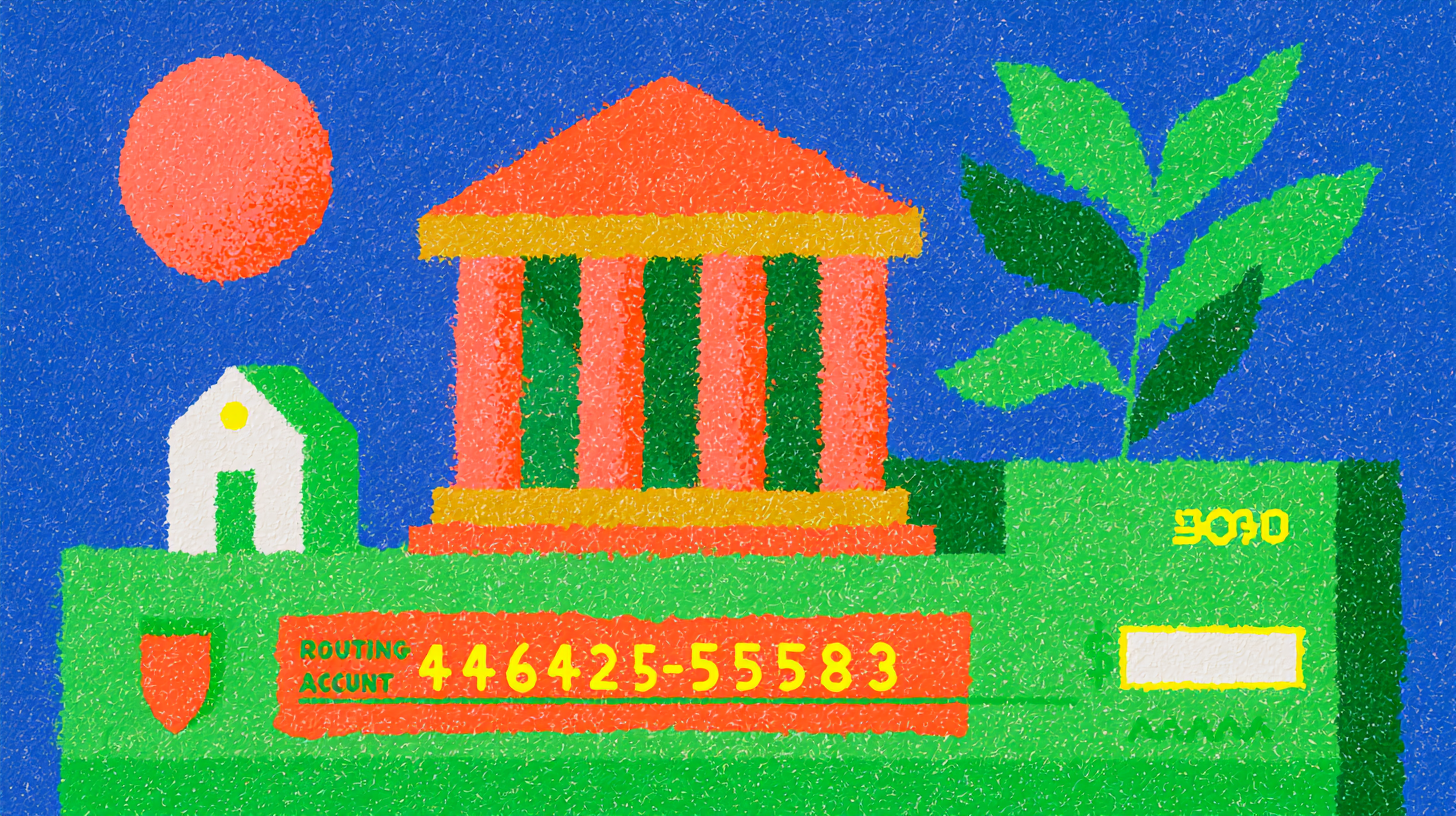
Financial Education
We explain your bank account number in 2026: a guide for immigrants
8 min de lectura
What is a bank account number and understanding bank account numbers: A 2026 guide for immigrants
If you recently opened your first bank account in the U.S. or received account and routing numbers you do not fully understand, learning what these numbers mean can make everyday banking much easier. These numbers are commonly used for direct deposits, tax refunds, ACH transfers, and automatic bill payments.
Your bank account number works as the identifier for your personal account within the banking system. Combined with your routing number, it helps employers, government agencies, and payment platforms send money to the correct place securely.
What is a bank account number?
A bank account number is a unique sequence of digits assigned to an account holder by a financial institution. It functions much like a physical address for your account within the broader banking network, distinguishing your account from others and ensuring that transactions are accurately processed.
Structure of a bank account number
The format of bank account numbers varies by financial institution, but generally includes several key components:
- Bank code/institution number: identifies the financial institution
- Branch code/sort code: identifies the specific branch where the account was opened
- Account number: the unique identifier for your personal account
- Check digits: help detect typing errors
What is the bank account number used for?
- Payroll direct deposits
- IRS tax refunds
- ACH transfers between banks
- Automatic bill payments
- Identity verification with financial institutions
Account number vs. routing number: what is the difference?
Routing number:
A 9-digit code that identifies the bank or financial institution. It is the same for all customers at the same bank.
Account number:
Unique to your specific account. No one else at the bank has the same account number as you.
When setting up a direct deposit, you generally need to provide BOTH: your bank's routing number and your personal account number.
Where do you find your account number?
- On your checkbook checks (bottom section)
- In your bank's mobile app (account information section)
- On bank statements
- By contacting your bank's customer service
How to protect your account number
- Share it only with trusted entities like your employer or the IRS
- Monitor your account regularly for unauthorized activity
- Do not post it on social media or unsecured emails
- If you suspect your account number was compromised, contact your bank immediately
FAQ
Does my account number change if I lose my debit card?
Generally no. Your card number is different from your bank account number. When you lose your card, the bank issues a new card with a different number but your bank account number generally remains the same.
Can I have more than one account number at the same bank?
Yes. If you have multiple accounts (e.g., checking and savings) at the same institution, each account has its own unique number but they will share the same routing number.
Común is a financial technology company and not a bank. Banking services are provided by Community Federal Savings Bank, Member FDIC.
Financial Education
How to Set Up Bill Pay in Online Banking
8 min de lectura
Linking payments in online banking lets you connect external accounts or cards to manage your finances in one place. With Común you can link an external debit card from another U.S. bank to send and receive payments.
Banking security systems often decrease once transactions become recurring in the same destination account. This process is called enrollment, and it can be useful for speeding up payment and debt processes. In this article we will tell you why it is necessary to enroll payments, and which protocols are used by platforms to establish payment enrollment.
Why Is It Useful to Enroll Payments in Online Banking?
We will point out the aspects that make it necessary to enroll payments on the bank platform where you keep your money, and the reasons are as follows:
- Security levels: It is necessary that you establish which people or services you make frequent, occasional, or one-time payments to. In this way, some will need to be controlled through security factors such as coordinates, random codes, or another authentication element required by the bank.
- Practicality: You have the ability to speed up the payments you make through your app. That way you do not have to wait for additional security elements to complete them.
- Avoid duplicate tasks: With enrollment you do not need to have the details on hand to make the transfer (deposit or payment) to the account. It is simply stored in a database. Then, by simply selecting the service or person you are going to pay, you can select it with one click and streamline the process.
- Control: By enrolling the account you can view the person or institution. You can also remove it from your database if you determine that the payment is no longer recurring. The process of removing it from the database involves a small protocol. The purpose is to ensure that you are truly ending your financial relationship with the person or entity that owns the account.
Requirements to Enroll Payments in Online Banking
One of the requirements for carrying out this process is having, in the bank platform’s database, the ability to speed up the deposit or payment process. To do so, you must have the following:
- The same mobile phone: Used to authenticate banking operations.
- Have some additional two-factor authentication elements granted by the bank under its security protocols (in some cases this requirement is optional).
- Email address: This applies if an authentication code is sent through this channel.
How to Enroll Payments in Online Banking
At first, enrollment can be somewhat cumbersome. But you will get used to doing it and establishing the criteria that indicate payments or deposits are recurring. For this, it is necessary to explain the general enrollment steps, which are the following.
Steps to Add the List.
- Log in to the bank platform by entering your username and password.
- After entering the platform or app, find the "Enroll payments" option in your bank’s menu and click it.
- It will display a list of the people you have enrolled; if it is empty, it is time to add to the list.
- Find the "Add" option
When Adding, do the following.
- Select the payment category.
- Enter details such as: First and last name, ID card or ID (depending on the region), account number.
- Accept the details and an authentication code will be sent to you (by email or through your mobile phone).
- Enter the code sent.
- Done! You now have the account number enrolled.
aWhat does it mean to link payments in online banking?
It's the process of connecting an external account or card to your financial app so you can move money between them or make payments directly.
How do I link an external card in Común?
From the app, add your external debit card (from a U.S. bank, in your name). Común verifies the card with a micro-deposit you confirm in the app.
What can I do once I've linked my external card?
Send and receive payments and remittances using that card, even if you don't have funds in your Común balance.
Frequently asked questions
What do I need to link an external card to my Común account?
A valid debit card, issued in the U.S., in your name.
How does Común verify the card is mine?
With a micro-deposit of less than $1.00 that you confirm in the app.
Can I link a credit card?
No, Común only accepts personal debit cards, not credit or prepaid cards.
How many cards can I link?
Up to 2 debit cards during your first 60 days with the account.
Why can't I link my card?
Common reasons include the name not matching, the card not allowing funds to move both ways, or it not being issued in the U.S.
Is it safe to link an external card?
Yes, Común never asks for your bank password during the verification process.
Financial Education
Unrecognized charge on my debit card: what to do in the United States
8 min de lectura
Unrecognized charge on my debit card: What to do in the United States?
If you notice an unrecognized debit card charge, one of the first steps is to lock your card, verify whether the transaction was actually unauthorized, and contact your financial service provider immediately. If you are a Común debit card holder, you can report suspicious activity directly through the app, email, or WhatsApp support.
Seeing an unrecognized charge on your debit card can be stressful, especially if you rely on your account for rent, groceries, transportation, or sending money to family. Unauthorized transactions can happen for many reasons, and debit card users in the United States have certain protections under the Electronic Fund Transfer Act (EFTA) and Regulation E.
It is also important to understand that not every unfamiliar transaction is considered fraud. Some charges may come from subscriptions, merchants using different billing names, or purchases made by someone who had permission to use the card.
What is an 'unrecognized' vs 'unauthorized' charge?
An unrecognized debit card transaction
is a transaction you do not immediately recognize. This does not necessarily mean fraud occurred. Examples: a merchant billing under a different legal name, a forgotten subscription renewal, a delayed hotel or gas station authorization, a trial membership converting into a paid subscription, or a family member using the card.
An unauthorized charge
generally means someone used your debit card or account information without your permission. Examples: purchases made after your card was lost or stolen, online purchases you did not authorize, potentially fraudulent recurring charges, or transactions occurring after your credentials were compromised.
It is important to understand that if you voluntarily gave your card, PIN, password, or account access to a family member, partner, or friend, those transactions may not qualify as unauthorized under Regulation E.
How can I identify a suspicious charge?
Checklist for an unrecognized debit card charge:
- Review the merchant name carefully — many businesses process payments under a parent company or billing processor that looks unfamiliar
- Check the transaction date — some charges appear several days after the original purchase
- Look for recurring subscriptions — streaming platforms, delivery apps, gyms, and trial memberships commonly renew automatically
- Verify the location — some online merchants process payments from another state or country even when the transaction was legitimate
- Ask family members — a spouse, child, roommate, or trusted person could have used the card
- Watch for small 'test' charges — fraudsters sometimes attempt small transactions before attempting larger purchases
What to do right away if you notice an unauthorized charge?
1. Lock your card immediately
If your financial service provider offers a card lock feature, you can temporarily freeze your card to help prevent additional transactions while you review the activity further.
2. Report the transaction to your financial service provider
Reporting a potentially unauthorized transaction promptly helps preserve certain protections available under applicable law. If you use Común, you can contact support through:
- In-app chat
- Email: ayuda@comun.app
- WhatsApp: +1 646 600 5660
When reporting the transaction, try to include: the transaction amount, merchant name, transaction date, and why you believe the charge is unauthorized.
3. Document everything
Take screenshots and save records of suspicious transactions, text alerts or emails, merchant communications, and subscription cancellation confirmations.
4. Change passwords and security settings
If you suspect your account information was compromised: change your password, update your email password, enable Face ID or Touch ID, review connected devices, remove suspicious app access, and if your PIN may have been exposed, change it immediately.
5. File a police report if appropriate
If your wallet was stolen, your identity may have been compromised, or the situation involves significant financial loss, contacting law enforcement and filing a police report may help support your case.
Your rights as a US Debit Cardholder
Debit card protections in the United States are primarily governed by the Electronic Fund Transfer Act (EFTA) and Regulation E.
| When you report | Potential Maximum liability | Source |
|---|---|---|
| Within 2 business days of learning of the loss or theft | Up to $50 | Reg E §1005.6(b)(1) |
| More than 2 business days after learning of the loss or theft, but within 60 days after your statement sent | Up to $500 | Reg E §1005.6(b)(2) |
| More than 60 days after statement is sent | Liability may increase significantly | Reg E §1005.6(b)(3) |
| Visa Zero Liability (when applicable) | $0 for eligible unauthorized transactions | Visa policy terms and conditions apply |
Federal law may limit liability for unauthorized electronic fund transfers, but delays in reporting may reduce available protections.
What is the 'Visa Zero Liability' policy?
Visa's Zero Liability policy generally provides protection for eligible unauthorized transactions made with covered Visa debit cards, subject to applicable terms, conditions, and limitations.
Key aspects:
- Protection scope: may apply to certain unauthorized transactions involving lost, stolen, or fraudulently used cards
- No enrollment necessary: the policy applies automatically to eligible Visa cards without requiring special sign-up
- Prompt reporting: to qualify, you must promptly report potentially unauthorized transactions to your financial institution
- Limitations and exclusions: certain transactions, including commercial card or anonymous prepaid card transactions, may not be covered
How does the Común dispute process work?
Once you report an unrecognized or potentially unauthorized debit card transaction to Común, the investigation process may include several stages. Typical timelines may include:
- Initial review beginning within approximately 2 business days
- Potential provisional credit within applicable regulatory timeframes for qualifying disputes
- Extended investigations in certain situations
- Visa dispute or arbitration processes that may take up to approximately 90 days in some cases
What is not covered?
Some situations may not qualify as unauthorized transactions under Regulation E or Visa Zero Liability protections:
- Charges made by family or friends who had access to your card or account
- Transactions you approved but later disputed due to dissatisfaction
- Wallet-only customers without a Común debit card
- ComúnPay P2P transactions funded through external debit cards
- Cases involving negligence or false claims
How can I help prevent unauthorized charges?
Use card lock and unlock features:
Locking your card when not in use may help reduce unauthorized transactions.
Enable real-time transaction alerts:
Instant transaction notifications through the app can help you identify suspicious activity more quickly.
Use Face ID or Touch ID:
Biometric authentication features can help reduce unauthorized account access.
Protect your PIN:
Avoid sharing your PIN, even with people you trust. Never store it in unsecured notes apps or write it directly on your card.
Watch for phishing scams:
Fraudsters may impersonate banks through text messages, fake login pages, phone calls, or social media messages. Banks and service providers will not ask for your password or verification code through text message.
FAQ
What is an unrecognized charge on my debit card?
An unrecognized charge is a transaction you do not immediately recognize on your account. It does not always mean fraud occurred.
How long do I have to report an unrecognized charge?
Under Regulation E in the United States, reporting suspicious transactions promptly is important. Certain consumer protections may decrease after 2 business days and again after 60 days from the date the statement was sent.
Will I get my money back if I report an unauthorized charge?
It depends on the investigation results and whether the transaction qualifies as unauthorized. In some qualifying cases, consumers may receive reimbursement or provisional credit.
What happens if I let a family member use my card?
If you voluntarily shared your card, PIN, password, or account access, the resulting transactions may not qualify as unauthorized under Regulation E or applicable Visa Zero Liability policies.
How long does Común take to resolve a dispute?
Investigations may begin within approximately 2 business days. Some cases may be resolved more quickly, while more complex disputes or Visa dispute processes may take longer, including up to approximately 90 days in certain situations.
Final thoughts
An unrecognized charge on your debit card does not always mean fraud, but it is important to review unfamiliar transactions promptly. In the United States, Regulation E or the Visa Zero Liability protections can help limit your liability for qualifying unauthorized transactions, particularly when reported promptly.
Community
What You Need to Open an Account at Comun¹ 3
8 min de lectura
Unmatched Ease of Opening an Account
Opening a checking account with Comun is simple and hassle-free, addressing the barriers to financial exclusion typically faced by the immigrant community. Accepting over 100 forms of identification², including social security numbers from Latin American countries, Comun ensures that immigrants have access to essential banking services. The application process is quick, taking less than 5 minutes, and is free of additional or hidden fees, minimum balance requirements or monthly commissions. This inclusiveness is central to Comun's mission of fostering financial stability and growth.
Mobile Deposit Options
ComunComun offers a convenient mobile deposit feature that allows users to deposit cash at more than 88,000 locations in the United States, including major retailers such as Walgreens, Dollar General and Walmart. This extensive network ensures that users can easily find a deposit location near them, making the process of adding money to their accounts simple and hassle-free.
Traditional Banking: Although many traditional banks offer mobile deposit options, they often restrict these to check deposits through a mobile app. Cash deposits typically require a visit to an ATM or bank branch, which can be less convenient and more time-consuming than Comun's extensive cash deposit network.
Utility in Today's World: In today's fast-paced environment, the flexibility to deposit cash in a wide range of accessible locations is invaluable, especially for individuals who may not have easy access to traditional banking services or who work non-traditional hours when banks are closed.
International Remittances
ComunComun excels in facilitating international remittances⁴, allowing users to send money abroad quickly and with lower fees compared to many traditional banks and remittance services. The process is enhanced with real-time notifications, keeping the sender informed from the moment the money is sent until it is received.
Traditional Banking: Traditional banks generally offer international transfer services, but these can be expensive and slow, with transfers sometimes taking several days to complete. In addition, the fees associated with traditional bank remittances can be significantly higher.
Usefulness in Today's World: In a globalized economy, the ability to send money across borders quickly and affordably is crucial. Many families rely on remittances for financial support, and businesses need efficient ways to handle international transactions. Comun's streamlined and cost-effective service effectively meets these modern demands.
Advance Salary Access
Comun: Comun offers the ability to connect wages to the application and receive payment up to two days in advance³. This feature incurs no additional fees, providing significant relief during financial emergencies or when planning ahead.
Traditional Banking: Some traditional banks have begun to offer similar features, but they are often tied to specific types of accounts or require a minimum balance. The accessibility and ease of use of early access to Comun's salary is not always matched in traditional environments.
Usefulness in Today's World: With the rise of gig economy jobs and irregular pay schedules, having early access to wages can provide a buffer against financial instability. This feature is particularly valuable for those living paycheck to paycheck, offering a cushion that can help avoid overdraft fees and late payments.
Unlike traditional banking institutions, Comun's innovative features are designed to meet the needs of today's diverse and mobile population, particularly benefiting the immigrant community in the U.S. By providing services that offer greater convenience, lower costs and greater accessibility, Comun not only addresses common challenges faced by its users, but also empowers them toward greater financial freedom and stability. As we move toward a more interconnected and fast-paced world, the importance of responsive and inclusive financial services continues to grow, something Comun is uniquely positioned to offer.
Robust Security and Customer Support
Security and customer support are paramount at Comun. With FDIC-insured accounts and Visa protection on virtual Visa debit card transactions, Comun customers can manage their funds with confidence. Innovative security features such as biometric logins and instant transaction notifications keep your money safe. In addition, Comun offers 24/7 customer support in English and Spanish, ensuring that help is always available in your preferred language.
Commitment to Zero Fees and Upward Mobility
Comun stands out not only for offering zero fees for account opening, monthly maintenance or minimum balances, but also for its commitment to helping its users move up the financial ladder. Comun acts as a financial partner, supporting financial transactions without the burden of excessive fees. This commitment aligns with the goal of enabling upward mobility for immigrants, who contribute significantly to the U.S. economy.
Customized Features and Benefits
Comun goes beyond traditional financial services by offering features designed to meet the unique needs of the immigrant community. Users can send money abroad with low or no fees, deposit cash at more than 88,000 locations nationwide, including free ATM withdrawals, and connect their accounts to popular payment apps such as Zelle, CashApp and Venmo. Comun's platform also allows customers to receive their paychecks up to two days early through direct deposit, further enhancing their financial flexibility and stability.
Conclusion
Comun is not just a financial services provider, but a platform dedicated to transforming the banking experience for immigrants in the U.S. With its user-focused design, commitment to financial freedom and robust features, Comun is destined to become a vital tool for achieving financial stability and growth for its users. Whether you are looking to manage your daily finances or send money to loved ones abroad quickly and securely, Comun offers a reliable, inclusive and efficient banking solution.
Foundational Moment: Did you know?
Founded by entrepreneurs Mark Selcow and Andres Santos in New York, Comun was built to empower families and enable upward mobility, particularly for the immigrant family. The company has garnered significant investment from prominent firms such as Costanoa Ventures, FJ Labs and South Park Commons, underscoring the tremendous opportunity to serve the financial needs of immigrant families and improve the lives of every individual.

Financial Education
Quick guide on how to call Mexico from the USA
8 min de lectura
How to call Mexico from the United States easily and affordably
There’s no doubt about the impact the Mexican community has had in the United States due to the number of immigrants who have arrived in recent decades and who, despite the distance, need to stay in touch with their loved ones.
One of the most common points of confusion when making an international call has to do with the order of the required codes. However, with the right information, placing a call from the United States to Mexico is very simple.
Below, we’ll show you step by step how to dial, practical examples for major cities, as well as modern options to save money no matter how long you’re on the phone with your loved ones in Mexico.
Basic steps to call Mexico from the USA
To connect a phone call from the United States to Mexico, you need three basic pieces of information: the exit code, Mexico’s country code, and the local number.
These are the steps to call Mexico.
Dial the international prefix
011 from a U.S. landline or “+” from a mobile phone.
Add Mexico’s country code
The code is 52.
Dial the 10-digit national number
Include the area code plus the local number
Practical examples:
- Mexico City: 011 + 52 + 55 123 1234
- Guadalajara: 011 + 52 + 33 123 1234
- Monterrey: 011 + 52 + 81 123 1234
It’s important to clarify that it used to be necessary to add the prefix 1 for cell-phone calls, but this requirement was eliminated in 2019.
Area codes and example calls to Mexican cities
In Mexico, each city has an area code (lada) made up of 2 or 3 digits. Taking that into account, all Mexican phone numbers have 10 digits in total.
Below is a table with examples of how to dial from the United States to Mexico.
City
Area Code
Dialing example from the United States
Mexico City
55
011 + 52 + 55 + ########
Guadalajara
33
011 + 52 + 33 + ########
Monterrey
81
011 + 52 + 81 + ########
Puebla
222
011 + 52 + 222 + #######
Tijuana
664
011 + 52 + 664 + #######
León
477
011 + 52 + 477 + #######
Querétaro
442
011 + 52 + 442 + #######
Mérida
999
011 + 52 + 999 + #######
Cancún
998
011 + 52 + 998 + #######
Chihuahua
614
011 + 52 + 614 + #######
Modern and more affordable options for calling Mexico
Long-distance calling used to be very expensive, especially when made directly— a drawback for people who wanted to keep in touch with family abroad since costs were charged per minute.
Fortunately, today you can choose far more affordable alternatives that also offer unlimited minutes and other communication benefits such as messaging and video calls.
These are the most popular low-cost options for calling Mexico from the United States.
VoIP apps and services over Wi-Fi
VoIP (Voice over IP) apps are one of the most accessible alternatives for communicating with people worldwide.
The main advantage of mobile apps is that they allow domestic and international calls over a Wi-Fi or data connection. This significantly reduces costs and eliminates the need for local phone coverage, though a good internet connection is important.
WhatsApp is a popular app of this kind, given its large user base and a variety of features beyond calls, such as voice notes, voice dictation, video notes, and video calls.
Other similar alternatives include Skype, Google Voice, and Telegram.
International plans from your carrier
If you want to make long calls and not rely on Wi-Fi, a recommended alternative is to get an international plan with included or unlimited minutes to Mexico.
For example, Verizon Global Calling has a plan that includes unlimited minutes to Mexico and Canada.
If you’re still in Mexico, Telcel offers international roaming packages and eSIM for travelers.
Prepaid calling cards
Another solution for calling Mexico is using a prepaid calling card.
Here are some examples.
Company | Cost | Validity/Expiration Enjoy Prepaid | From 0.9¢/min to landlines, 2.9¢/min to mobiles. | After 183 days of inactivity. BOSS Revolution | 1.9¢/min to landlines and mobiles. | Credit remains while the user is active. Calling Card Plus | From 0.8¢/min to landlines and 2.5¢/min to mobiles. | Depends on the plan; may include per-minute rounding or a weekly charge.
Company
Cost
Validity/Expiration
Enjoy Prepaid
From 0.9¢/min to landlines, 2.9¢/min to mobiles.
After 183 days of inactivity.
BOSS Revolution
1.9¢/min to landlines and mobiles.
Credit remains while the user is active
Calling Card Plus
From 0.8¢/min to landlines and 2.5¢/min to mobiles.
Depends on the plan; may include per-minute rounding or a weekly charge.
Bundles with included minutes
A bundle is a package that, in addition to international calls, includes other related services. For example, Verizon Global Choice offers 300 minutes for $10 per month.
Practical tips for immigrants
Taking care of your finances is essential to stay in touch with your family in Mexico. Here are some tips to keep you connected.
- Use apps over Wi-Fi whenever possible: they’re a very affordable alternative, as long as you have a good internet connection.
- Compare rates from different companies: take time to review each provider’s international rates as well as specific terms.
- Consider family bundles or special plans for Mexico: given the geographic proximity between Mexico and the United States, there are several communication options designed for families who frequently contact relatives.
Stay connected with your family in Mexico thanks to Común
In this article, we showed you how to call Mexico from the United States with the correct code sequence, via mobile and landline. We also shared tips to keep in touch with your family through more accessible means such as mobile apps and international plans with minutes to Mexico.
In addition to staying in touch with family, Mexican immigrants also often need services that let them send money home.
- Discover the benefits of Común, the platform that brings you closer to the people you love most!
- Checking account with clear, competitive fees.
- Accessible international money transfers.
- Común’s mobile app is available in Spanish and accepts more than 100 eligible official IDs for account opening.
- Debit card for everyday purchases and payments.
Don’t lose touch with your country! Open your account with Común and connect with the financial platform dedicated to shortening the distance.
Frequently Asked Questions (FAQ)
If you still have questions, see this section.
What happens if I dial the number without the 011 prefix?
If you don’t dial 011 or “+” on mobile phones, your call won’t be recognized as international and will either connect as a local call or return an error.
Is it better to use apps or international calling plans?
It depends on your needs. Apps are an excellent alternative but depend on a good internet connection. International plans require a SIM, but they offer more stable calls along with other communication services.
Which option is best for saving money?
A very convenient option to save money is an app like WhatsApp, since it works over an internet connection.
How can I dial an 800 number from the United States to Mexico?
800 numbers are toll-free within Mexico, but from the United States they do carry a cost. To dial, you must enter the exit code and the country code.
Another option is to look for that institution’s alternate number for international calls.
Financial Education
Exchange Rates and Currency Margins: A Simplified Explanation
8 min de lectura
Introduction: What Is the Foreign Exchange Market?
The foreign exchange (FX) market is the backbone of global trade, since it allows one currency to be exchanged for another. Whether you're traveling abroad, buying international products, or investing overseas, FX plays a crucial role in our financial lives. This article aims to demystify two key FX concepts: exchange rates and currency margins, explaining them in simple terms for new banking customers and anyone unfamiliar with these topics. Understanding these concepts is crucial for customers of Community Federal Savings Bank and other financial institutions that offer banking services.
What Is the Exchange Rate?
The exchange rate is the value of one currency in terms of another. For example, if 1 U.S. Dollar (USD) is worth 0.85 Euros (EUR), the exchange rate is 1 USD = 0.85 EUR. Exchange rates fluctuate based on supply and demand in the foreign exchange market. Several factors influence these rates, including:
- Supply and Demand: If a currency is in high demand, its value increases. Conversely, if there's more supply than demand, the currency's value decreases.
- Central Banks and Government Policies: Central banks, like the Federal Reserve in the U.S. or the European Central Bank, can influence exchange rates through interest rates and monetary policy. For example, higher interest rates offer better returns on investments in that currency, increasing demand and value.
How Do Exchange Rates Affect Us?
Exchange rates impact several aspects of our lives:
- International Travel: When you travel abroad, the amount of foreign currency you get for your money depends on the exchange rate. For Común customers, understanding exchange rates⁴ helps keep your money secure while traveling. Examples of fluctuating exchange rates include: 1 USD = 0.85 EUR or 1 USD = 109.75 Japanese Yen (JPY).
- Cost of Imported Products: Products priced in foreign currencies become more or less expensive depending on the exchange rate.
- International Business and Investment: Businesses dealing with international customers and suppliers, or investing abroad, are affected by exchange rate fluctuations, which influence their costs and revenue.
What Is the Currency Margin (FX Spread)?
The currency margin is the difference between the buy price and the sell price of a currency pair. The buy price is what buyers are willing to pay, while the sell price is what sellers are asking. The spread is essentially the cost of trading currencies.
For example, if the buy price for EUR/USD is 0.84 and the sell price is 0.86, the currency margin is 0.02. This margin is crucial because it represents the transaction cost of exchanging currencies, which is a key consideration for banks and financial institutions.
Why Does the Currency Margin Exist?
Several factors contribute to the existence of the currency margin:
- Market Liquidity: Greater liquidity (more buyers and sellers) generally results in a narrower margin. Lower liquidity leads to a wider margin.
- Currency Brokers and Financial Institutions: These intermediaries set the buy and sell prices, factoring in their profit margins.
- Transaction Costs: The costs of executing trades and maintaining currency inventories are also built into the margin.
How Does the Currency Margin Affect Transactions?
The currency margin impacts the cost of exchanging money. A smaller margin means lower costs, while a larger margin increases the cost. Here are some examples:
- Small Margin: If the buy-sell margin is small (for example, 0.01), the transaction cost is low, making it cheaper to exchange currency.
- Large Margin: A larger margin (for example, 0.05) means higher transaction costs.
To minimize the cost of exchanging currency, consider:
- Comparing Rates: Look for the best exchange rates and lowest margins, especially when using Community Federal Savings Bank banking services.
- Timing: Exchange money when market liquidity is high, typically during business hours in major financial centers.
Real-World Examples:
Understanding currency margins can help you make better financial decisions:
- Traveling Abroad: When exchanging money for a trip, the currency margin affects how much foreign currency you receive. Común¹ account holders can keep their money secure by understanding these margins.
- Online Shopping: Buying products on international websites involves currency conversion, where the margin influences the total cost.
To check the current exchange rate and currency margin, use online currency converters and financial news websites. Financial inclusion matters, and platforms like Común offer tools and support to help Latino immigrants and other users manage their money effectively.
Conclusion: Stay Informed
In summary, the exchange rate determines the value of one currency against another, while the currency margin is the cost of trading currencies. Understanding these concepts is essential for making informed financial decisions, whether you're a new banking customer or new to the world of FX. Stay informed and use this knowledge to navigate the complex world of currency exchange more effectively.
Additional Resources
- FDIC-Insured Banks: Make sure your funds are safe by choosing FDIC-insured banks like Común.
- Support and Security: Común offers customer support and security features to protect your personal information and funds.
- Remittances: For Latino families and immigrants, understanding exchange rates can help send money abroad efficiently.
Understanding exchange rates and currency margins can have a significant impact on your financial transactions. By staying informed, you can make better decisions and optimize your currency exchanges, improving your overall financial health.

Financial Education
How to deposit money into someone else's bank account: 5 updated methods (2026)
8 min de lectura
How to deposit money into someone else's bank account: 5 updated methods (2026)
In 2026, there are more ways than ever to send money to another bank account, but each option works differently. Some methods require a routing and account number, while others only need a phone number, email, or QR code.
5 ways of depositing money into someone else's bank account
| Method | What You Need From the Recipient | Speed | Typical Cost | Best For |
|---|---|---|---|---|
| Bank branch deposit | Full name + account number | Same day or next business day | Usually no fee | Paying rent, helping family |
| ACH bank transfer | Routing number + account number | 1–3 business days | Often free | Transfers between financial institutions |
| P2P apps | Phone number, email, username, or QR code | Minutes to 1 business day | Often free | Everyday payments and splitting expenses |
| Wire transfer | Full bank details and identity information | Same day | Fees vary by financial institution | Urgent or high-value transfers |
| Check deposit | Recipient's name and mailing/deposit information | Several business days | Usually low or no fee | Documented or scheduled payments |
Bank branch deposits
One of the simplest ways to deposit money into someone else's account is by visiting their bank branch directly. To deposit money at a branch, you generally need: the recipient's full name, the recipient's account number, and the cash or check you want to deposit.
ACH bank transfer
ACH transfers are electronic bank-to-bank transfers through the Automated Clearing House network. To send an ACH transfer to another person's account, you need: the recipient's bank routing number and account number.
P2P payment apps
Peer-to-peer payment apps like Común's Pay, Venmo, Cash App, and Zelle allow you to send money quickly to another person using just a phone number, email, username, or QR code.
Wire transfer
Wire transfers are electronic bank-to-bank transfers that complete quickly, usually the same business day for domestic transfers. They are typically used for large amounts or urgent payments.
Check deposit
You can also write a personal check to another person. This option is slower than digital methods but can be useful for documented or scheduled payments.
FAQ
Can I deposit cash into someone else's bank account?
It depends on the bank. Some banks allow cash deposits into third-party accounts at a branch, while others may restrict it due to fraud prevention policies.
What is the fastest way to send money to another account?
P2P apps like Común's Pay, Venmo, and Zelle are generally the fastest for everyday transfers. Wire transfers are faster for large amounts.
Común is a financial technology company and not a bank. Banking services are provided by Community Federal Savings Bank, Member FDIC. Peer-to-peer payments services are provided by Cross River Bank.

Financial Education
What to Do if Your Bank Account Is Compromised: Immediate Actions
8 min de lectura
If you suspect your account was compromised, act immediately: lock your card from the app, review your recent activity, and contact support. With Común, locking your card is instant and support is available 24/7.
Recognizing the Signs of Identity Theft and a Compromised Account
The first step is recognizing the signs that your bank account may have been compromised. Unusual or suspicious transactions, unexpected changes to your account details, and alerts or notifications from your bank that you didn't trigger are clear indicators. Getting text or email alerts about activity you didn't do can also mean your account has been hacked. Staying alert and regularly reviewing your account activity can help you catch these signs early if your bank account is hacked.
Immediate Actions to Take When You Notice Suspicious Activity
1. Contact Your Bank Immediately. If you suspect your account has been compromised, call your financial institution directly. Most banks have a dedicated fraud department that can freeze your account to prevent further unauthorized transactions. Acting quickly is crucial to protecting your hard-earned money.
2. Change Your Account Passwords. Immediately change your online account passwords and any other online accounts linked to your financial information. Make sure your new passwords are strong, unique, and different from passwords you've used before.
3. Monitor Your Account for Further Activity. Keep a close eye on your account for any additional suspicious activity. Regularly review your bank statement and account activity, and report any discrepancies to your bank. Setting up text and email alerts for transactions can help you stay on top of your account status.
Learn how to monitor your accounts here
4. Report the Fraud. File a report with your bank's fraud department. Also report the incident to the Federal Trade Commission (FTC) and consider filing a police report. This can help protect your credit report and prevent further identity theft.
Additional Precautions: Enable Two-Factor Authentication
[Image: homepage of bank app — keep image as-is]
To Prevent Future Incidents, Take These Additional Security Measures:
1. Secure Your Devices. Make sure your devices are protected with the latest antivirus protection and security updates. Avoid using public Wi-Fi for online banking.
2. Enable Two-Factor Authentication. Turn on two-factor authentication (2FA) for an extra layer of security on your bank accounts and other online accounts. This makes it harder for unauthorized users to access your accounts.
3. Be Careful What You Share. Be careful about the information you share online, and avoid providing sensitive information like your Social Security number through unsecured channels. Watch out for phishing emails and malicious links that can lead to a compromised account.
4. Use Strong, Unique Passwords. Make sure to use strong, unique passwords for all your other accounts. Avoid reusing the same password across multiple accounts, and change your passwords regularly.
5. Set Up Fraud Alerts. Consider setting up fraud alerts with your bank and credit bureaus. This can help you stay informed about any suspicious activity on your accounts.
We'll show you how to open a bank account in the United States
Común's Security Features
At Común, we prioritize the security of our customers' accounts, just like leading financial institutions. Our platform includes advanced security measures like encryption and real-time monitoring to protect your financial information. If you ever suspect fraudulent activity, our customer service team is available to help you right away. Just send us a message through the Común app, and we'll walk you through the steps needed to secure your account.
Open your bank account¹ in 3 minutes with your country's ID²
- No minimum balance fees
- Get paid up to 2 days early³
- Send money to your home country safely
- And much more!
Conclusion
Quick action is crucial when it comes to a compromised bank account. By recognizing the signs, taking immediate action, and using strong security features, you can protect your finances and regain control of your accounts. Stay alert and proactive to keep your bank account secure. Remember, responding quickly can prevent further losses and ensure your money stays in your hands.
What are the signs my account was compromised?
Transactions you don't recognize, unexpected changes to your account details, or alerts about activity you didn't start.
What should I do right away if my account was compromised?
Lock your card instantly from the app, review your recent activity, and contact support to report the suspicious activity.
How do I contact Común support in an emergency?
Through in-app chat, email, phone, or WhatsApp, available 24/7.
Frequently asked questions
How do I know if my account was hacked?
Common signs include transactions you don't recognize, changes to your contact details, or alerts about activity you didn't start.
Can I lock my Común card myself if I suspect fraud?
Yes, you can lock it instantly from the app without needing to call support first.
What should I check first if I think my account was compromised?
Review your recent activity in the app to identify any transaction you don't recognize.
How do I report suspicious activity on my Común account?
Contact support through chat, email, phone, or WhatsApp, available 24/7.
Am I responsible for fraudulent transactions if I report them quickly?
Reporting right away reduces your liability; exact protections depend on the circumstances.
How do I protect my account going forward?
Turn on app notifications, review your activity regularly, and never share your access codes, even with someone claiming to represent Común.

Instant payments
Safe and fast ways to send money without a bank account
8 min de lectura
Did you know it is possible to send money without having a bank account? The lack of access to financial services is a problem that negatively affects the quality of life of thousands of immigrant workers in the United States.
For example, according to a recent survey, the rate of the Latino community in the United States without a bank account dropped from 15% to 10% over the last two years. However, it remains high compared to the national average of 4.5%.
While having a bank account facilitates financial transactions such as transfers, in-store payments, and online purchases, there are now alternatives that allow you to access banking services without needing an account.
Below, you will discover how to transfer money from one card to another without an app or bank account, as well as the safest and simplest methods available to you.
Sending Money Online
Not having a U.S. bank account is not an obstacle to sending money domestically or internationally, as there are methods widely used among immigrant workers who regularly send remittances and conduct other transactions using prepaid cards and cash payments.
International Money Transfer Providers
This is one of the most popular ways to send money without a bank account due to the accessibility, variety of payment methods, and broad coverage typically offered.
International money transfer providers are companies that specialize in facilitating money transfers from one country to another. The key features of these services include:
- Specialization in international money transfers, unlike traditional banks, which have certain limitations, such as high commissions, unfavorable exchange rates, extensive delivery time, and participation of intermediaries that increase costs.
- More affordable fees.
- Various sending methods.
- Multiple Money Transfers Locations
How to Send Money Without a Bank Account Through an International Transfer Platform
Comun allows you to send money to your loved ones for a modest transfer fee starting at USD 2.99 up to the applicable limits. It is very simple; just follow these steps:
1. Open your account with Comun; it will only take a few minutes!
2. Choose the most convenient delivery method for your recipient, such as cash pick up at a physical store like Oxxo, Grupo Elektra, 7 Eleven, and more.
3. You may also send money directly to a bank and have it picked up at one of its branches.
4. Track the delivery directly in your Comun mobile application.
Comun is an excellent option for our community, as it provides Spanish-language service, which is highly appreciated by the immigrant community. Open your account today and start sending money without complications.
What Information Do You Need to Send Money Without a Bank Account?
To send money without a bank account, you only need the following information about your recipient:
- Full name of the recipient, exactly as it appears on their official ID.
- Recipient’s phone number.
- If the transfer is made to a bank account, you will also need:
- Recipient’s address.
- Bank account number, depending on the receiving country.
P2P Services
P2P (peer-to-peer or person-to-person) services allow immediate money transfers between individuals without intermediaries. These options are useful for everyday needs such as paying rent, shared services, splitting transportation costs, and sending money to your relatives in the US or internationally.
How to Send Money Without a Card Using P2P Services
- Choose a reliable provider, such as Cash App or Venmo.
- Enter the recipient’s phone number in the mobile app.
- Confirm the transaction and track it.
Sending Money by Mail
Other alternatives involve sending a cashier’s check, a certified check, or a money order through the postal service.
Cashier’s Check
This type of check is issued with the bank’s funds. The customer must pay in cash or directly from their account, and the check is made payable to the recipient.
Certified Check
This check is issued using the customer’s funds. The issuer must have a bank account so that the bank can verify the availability of funds. The recipient may cash the check directly at a bank branch.
Money Order
Another way to send money without a bank account is by using a money order, which is a type of prepaid payment order. To do so, you will need to:
1. Go to a post office or authorized retailer, such as USPS or Walmart, to purchase a money order.
2. Write the beneficiary’s name in the “pay to the order of” section.
3. Write your name in the “purchaser” section.
4. Sign in the space designated for the purchaser, generally on the front of the document.
5. Keep the receipt with the serial number.
6. Pay the amount to be sent plus applicable service fee.
7. Send the money order via regular or certified mail.
8. Write the recipient’s address in the center of the envelope and the sender’s address in the upper left corner.
9. Purchase a postage stamp at the post office and attach it to the envelope.
10. Drop off the envelope at the post office.
The recipient may cash the money order at an authorized branch upon presenting valid personal identification.
The downside of this alternative is that it takes longer to arrive, as it relies on a traditional mailing method.
Sending Money With Prepaid Load
There are other options available to send money without a bank account, such as prepaid cards and mobile applications.
Reloadable Prepaid Cards
Reloadable prepaid cards function similarly to debit cards, with the main difference being that they are not linked to a bank account. They also allow you to pay for services and make online purchases.
To send money using a prepaid card, you only need to:
1. Identify an international money transfer service that supports prepaid cards, such as Western Union or MoneyGram.
2. Select your preferred provider and choose the prepaid card option on their website.
3. Enter the recipient’s information, making sure it is compatible with the selected platform.
4. Confirm the transfer and pay the amount plus the applicable service fee.
Done! The recipient will receive the money on the prepaid card as if it were a bank transfer.
Mobile Wallets/Applications
Lastly, you may opt for mobile wallets or applications that offer money transfer capabilities. Some examples include Cash App, Venmo, and Remitly, which provide access to an mobile app you can use to send and receive money.
These applications do not require a bank account and are user-friendly. Some also offer physical cards that function similarly to debit cards.
7 Essential Tips for Sending Money Without a Bank Account
1. Verify the Identity and Information of the Recipient
Ensure that the recipient’s information, such as name, account number, or phone number, is entered correctly. Any discrepancies could prevent the recipient from collecting the funds.
2. Compare Fees and Exchange Rates
Each provider has its own rates depending on the receiving country, amount, and exchange rate. Remember, with Comun you do not pay excessive fees, and you ensure your family receives more for less.
3. Know the Sending Limits
Some platforms have sending limits that should be considered before selecting a service. For instance, Western Union has a daily limit of USD 7,499, while Cash App allows up to USD 7,500 per week for verified accounts.
4. Keep All Receipts and Reference Numbers
Even though these methods are secure, it is important to keep receipts and reference numbers in case a clarification or issue arises.
5. Use Reputable and Secure Services
It is essential to ensure that you use a trusted service. Check online reviews and verify that the provider has an official website and/or physical offices.
6. Be Cautious of Scams
Unfortunately, scams are common around financial services. No legitimate institution will request passwords or verification data. Always access official websites. If in doubt, visit an authorized branch.
7. Consider Delivery Time
Most options allow you to complete transfers in minutes, but some may take several days. Consider this before choosing your preferred service.
Frequently Asked Questions
Is it safe to send money without a bank account?
Absolutely. Comun is backed by leading financial institutions to protect your funds up to the applicable limits. Additionally, you can track your transfer directly through the Comun mobile app.
How much does it cost to send money without a bank account?
Comun offers a transfer fee starting at USD 2.99, regardless of the amount you send up to the applicable limits. Your first transfer is commission-free!
How long does it take for the money to arrive?
Cash is typically available within approximately 1 hour at the selected store or bank branch.
What documents do I need to send/receive money without an account?
You need the full name of your recipient, and they must present official identification.






Thousands of immigrants are already achieving more with their money. You can too.
Comun is a financial technology company and not a bank. Banking services are provided by Community Federal Savings Bank; Member FDIC. The Comun Visa® Debit Card is issued by Community Federal Savings Bank, pursuant to a license from Visa U.S.A Inc. and may be used everywhere Visa Cards are accepted.
Comun is a fintech company and not a bank or licensed money transmitter.
* Results may vary. For a complete list of eligible IDs and application requirements, follow this link.
^ No minimums, no maintenance fees. ATM or transfer fees may apply. See app for fee details.
‡ Direct deposit funds are typically available when we receive the payment file, up to two days before the scheduled payment date. This early availability is not guaranteed.
** A service provided by Service UniTeller, Inc. Service UniTeller, Inc. is licensed in all states that require a license. Remittance fees start at $2.99 but may vary. Please check the app for more details. Comun Inc. may earn revenue from the conversion of foreign currencies.
† Funds in your account are FDIC insured up to $250,000 by ownership category through Community Federal Savings Bank (CFSB), Member FDIC, in the event CFSB fails.